

If you are new to smart climate control, the best affordable smart thermostat offers a simple first step. Touchscreen control, physical buttons and geofencing suit different first-time needs. Familiar controls and clear app steps help first-time buyers settle in quickly.
Manufacturer specifications and owner feedback were the basis for these picks. First-time buyers can check our best budget smart thermostat and best value smart thermostat guides. See our Editorial Policy for how we picked these low-cost models. Turn off power at the breaker before removing an old thermostat. Thick 120V or 240V wires mean line-voltage heat, so call a licensed electrician.
Top 3 Affordable Smart Thermostats for First-Time Buyers

Energizer Smart Wi-Fi Thermostat
- 3.5-inch touchscreen
- Voice control with Alexa and Google Assistant
- 7-day, 8-period programming

Sensi Smart Thermostat (ST55)
- Physical buttons and a traditional look
- Fits the same wall space as a traditional thermostat
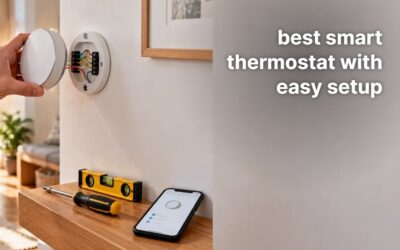
- Built-in level and step-by-step app install

Sensi Lite Smart Thermostat (ST25W)
- Most homes can install it without a C wire
- Flexible scheduling with geofencing and remote access
- Simple install, with a built-in level
As an Amazon Associate we earn from qualifying purchases.
Affordable Models Compared
| # | Product | Key Features | |
|---|---|---|---|
| 1 |  Energizer Smart Wi-Fi Thermostat |
| Check Latest Price |
| 2 |  Sensi Smart Thermostat (ST55) |
| Check Latest Price |
| 3 |  Sensi Lite Smart Thermostat (ST25W) |
| Check Latest Price |
| 4 |  Google Nest Thermostat |
| Check Latest Price |
| 5 |  Honeywell Home RTH9585WF Smart Color Thermostat |
| Check Latest Price |
As an Amazon Associate we earn from qualifying purchases.
1. Energizer Smart Wi-Fi Thermostat
Best Touchscreen Pick

- 3.5-inch touchscreen
- Voice control with Alexa and Google Assistant
- 7-day, 8-period programming
- Wi-Fi on both 2.4 GHz and 5 GHz, with auto reconnect
- Voice control is limited to Alexa and Google Assistant
- Weather and geofencing need a Wi-Fi connection
- Extras: Nightlight, filter reminders
- Voice: Alexa, Google Assistant
- Reports: Energy history
A touchscreen with 8-period programming gives detailed control over each day.
Weather forecast, energy history and geofencing add context to each schedule.
Good match for the Energizer Thermostat
Select this if a touchscreen with 7-day, 8-period programming appeals to you.
Poor match for the Energizer Thermostat
Look elsewhere if Apple Home is the assistant you use.
As an Amazon Associate we earn from qualifying purchases.
2. Sensi Smart Thermostat (ST55)
Best Traditional Pick

- Physical buttons and a traditional look
- Fits the same wall space as a traditional thermostat
- Built-in level and step-by-step app install
- Reports on usage, with equipment alerts and filter reminders
- No touchscreen
- Voice control through Alexa only
- Rating: ENERGY STAR certified
- Reports: Usage and filter reminders
- Voice: Alexa
Traditional buttons and a familiar wall fit make this one feel familiar from day one.
A built-in level and step-by-step app install make mounting straightforward.
Good match for the Sensi ST55
A good choice for physical buttons and a traditional look.
Poor match for the Sensi ST55
Choose another model if you want a touchscreen.
As an Amazon Associate we earn from qualifying purchases.
3. Sensi Lite Smart Thermostat (ST25W)
Best No C-Wire Pick

- Most homes can install it without a C wire
- Flexible scheduling with geofencing and remote access
- Simple install, with a built-in level
- Usage reports in the Android and iOS app
- Heating-only, cooling-only and heat pump systems need a C wire
- Remote access and usage reports need the app
- Install: Built-in level
- Rating: ENERGY STAR certified
- App: Android and iOS
A simple design and easy install steps suit a first smart thermostat on a tight budget.
Geofencing, flexible scheduling and remote access keep control in the Android and iOS app.
Good match for the Sensi Lite
Pick this if you want a model without a C wire in most homes.
Poor match for the Sensi Lite
Pass if your heating-only, cooling-only or heat pump system has no C wire.
As an Amazon Associate we earn from qualifying purchases.
4. Google Nest Thermostat
Best Simple Pick

- Most homes need no C wire
- Turns down automatically when you leave
- HVAC alerts and maintenance reminders
- Schedule in the Google Home app, on Android or iPhone
- A C wire or power accessory is required for heating-only, cooling-only, zoned and heat pump systems
- Settings cannot be locked
- App: Google Home
- Alerts: HVAC monitoring
- Voice: Google Assistant, Matter assistants
Automatic turn-down when you leave keeps daily control simple.
Schedule suggestions from Savings Finder appear in the Google Home app.
Good match for the Nest Thermostat
Best for simple app scheduling.
Poor match for the Nest Thermostat
Avoid this if a lock feature matters to you.
As an Amazon Associate we earn from qualifying purchases.
5. Honeywell Home RTH9585WF Smart Color Thermostat
Best Color Pick

- Touchscreen in color, matched to decor
- 7-day programming and peak-rate pricing options
- Energy reports every month
- Heat pumps with electric backup, plus forced air, hot water and steam
- C wire installation is needed
- Systems with electric baseboard heat are not covered
- Systems: Forced air, hot water, steam
- Power: C wire required
- Rating: ENERGY STAR certified
A color touchscreen gives first-time buyers decor-matching control at a low cost.
Planned weekly schedules use peak-rate pricing options and monthly reports.
Good match for the Honeywell RTH9585WF
Suits a home that wants a color touchscreen and 7-day programming.
Poor match for the Honeywell RTH9585WF
Set this aside if electric baseboard heat is your system.
As an Amazon Associate we earn from qualifying purchases.
How to Buy the Best Affordable Smart Thermostat for a First Home
- Start with the controls you already understand, whether buttons or a touchscreen.
- Check if a C wire is present, since affordable models differ on this point.
- Use a simple schedule first, then add geofencing once you are comfortable.
- Look for a color touchscreen only if decor matters in the room.
- Keep an eye on filter reminders, so upkeep does not slip.
Frequently Asked Questions
What control does the Sensi ST55 use?
Physical buttons, with a traditional look.
Which affordable thermostat turns itself down when I leave?
The Google Nest Thermostat, which turns itself down when you leave. It works without a C wire in most homes.
Does the Energizer thermostat show a weather forecast?
Yes, it shows a weather forecast, with energy history reports and geofencing.
Which affordable model has a color touchscreen?
The Honeywell Home RTH9585WF1004 has a color touchscreen you can match to your decor. It also gives monthly reports on energy use.
Final Verdict
For the best affordable smart thermostat, the Energizer Smart Thermostat leads with touchscreen control and 8-period programming. Traditional buttons suit the Sensi ST55, while the Sensi Lite suits homes without a C wire in most setups. Simple app scheduling suits the Google Nest Thermostat, while color control suits the Honeywell model.
Best Touchscreen Pick: Energizer Smart Wi-Fi Thermostat Check Latest Price
Best Traditional Pick: Sensi Smart Thermostat (ST55) Check Latest Price
Best No C-Wire Pick: Sensi Lite Smart Thermostat (ST25W) Check Latest Price
Plan wiring, system type and schedules early, and the first thermostat will fit well.
As an Amazon Associate we earn from qualifying purchases.
As an Amazon Associate we earn from qualifying purchases.









Write Your Review
No reviews yet. Be the first to share your experience!